
Evaluate a field sales CRM with an ISP workflow.
Bring one normal order and a few difficult cases to a software demonstration. Use the same evidence checklist for every vendor, then agree a bounded pilot before committing to a rollout.
- A buyer-owned demonstration script
- Evidence for each proposed capability
- Separate software and field-team scopes
An ISP field sales CRM evaluation should test whether the selected tools preserve the qualified address, representative, customer request, order reference and installation outcome through real handoffs. Ask the vendor to demonstrate each required step with approved test records and label it available now, requiring configuration, requiring an integration or outside scope.
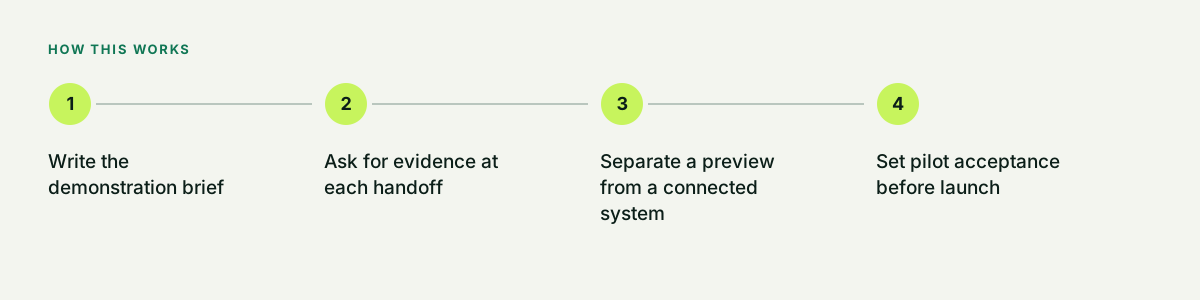
Write the demonstration brief
Use synthetic or approved test records, not live customer details in a public demonstration. Name the provider-approved qualification source, current ordering path, representatives and managers, reporting owner, permitted data access and a small pilot cohort. A city on a map is not evidence that every address can order, and a slide listing an integration is not proof that the connection is working.
- Approved footprint and address source
- Required mobile and manager tasks
- Order-system and installation-status access
- Acceptance owner and pilot review date
Ask for evidence at each handoff
For each row, record the observed behavior, tool or connection used, known limitation, responsible owner and any additional cost. The table is a buyer's test plan, not a claim that Dooriax or another vendor already supports every capability.
| Test case | Ask to see | Acceptable evidence to agree |
|---|---|---|
| Address and apartment qualification | Two unit-specific records, the source checked and its timestamp; preserve conflicting results. | Traceable source and an unresolved state when eligibility is not confirmed. |
| Duplicate and reassigned work | Repeat an address import, then reassign the representative without losing visit history. | Documented record keys, duplicate rules and a visible next owner. |
| Order submission versus acceptance | Move a test order through receipt, provider acceptance, rejection and correction. | Provider reference and evidence for each status; a successful form submit stays distinct. |
| Installation, cancellation and aging | Show a delayed installation, a cancellation and an unresolved status. | Source time, as-of cutoff, next action and outcome definitions. |
| Mobile and connection failure | Demonstrate the actual supported device, a failed handoff and recovery; test offline use only if offered. | A documented retry or manual fallback with no silent duplicate order. |
| Contact restrictions and access | Apply the agreed no-contact rule, then compare representative and manager access. | The selected tools enforce the agreed permissions and preserve the responsible owner. |
| Exit and export | Export the agreed fields and history, including source IDs and status timestamps. | A readable sample export, documented omissions and written ownership terms. |
Separate a preview from a connected system
Dooriax Field's public preview illustrates territory, visits, handoffs and outcome review. It uses illustrative records. A project must separately confirm mapping, mobile access, offline behavior, provider connections, permissions, refresh cadence and exception handling in the selected tools. Ask for a controlled integration test before describing a connection as live.
- Observe a test record at both ends
- Confirm the source of each order status
- Name the failure queue and its owner
- Document access, usage costs and exclusions
Set pilot acceptance before launch
Agree which cases must pass, what evidence will be retained and who may accept the result. Include representative training, record completeness, handoff failures, export checks and provider reconciliation. Sales conversion, installs and revenue depend on the market, offer, staffing, follow-up and provider operations; a CRM acceptance test is not a sales-performance guarantee.
- Pass, fail or unresolved for every required case
- Approved roles and training completed
- Exceptions have owners and due times
- A written continue, repair or stop decision
Choose the right next conversation
Request a Dooriax workflow discussion for software requirements, existing-tool review or an implementation demonstration. If the request includes a managed door-to-door team, use the separate Home Front market-planning route. Include the proposed state, market, approved footprint, offer and timing; staffing, provider permissions and launch conditions must be confirmed for the actual program.
- Software scope and system access
- Field-team scope and market brief
- Separate deliverables and responsible owners
- No assumed national staffing or carrier connection
Common questions.
Direct answers about fit, process, limits, and next steps.
Does this checklist rank CRM vendors?
No. It provides a common demonstration script. Compare observed behavior, current scope, ownership terms, costs and limitations rather than invented ratings.
Can a public workflow preview prove a provider integration?
No. Confirm the approved source, access and selected tools, then observe a controlled test record and failure path before treating a provider connection as live.
Can Dooriax also provide the sales team?
Dooriax's software and implementation discussion is separate from field execution through Home Front Solutions. Team availability, authorization, terms and launch scope are reviewed for the requested market.
Build the next useful part of the system.
Bring the current tools, operating bottleneck, market, timing, and outcome. Dooriax will start with the facts.