
Microsoft 365 organized around people, access, and company ownership.
Dooriax helps small businesses plan and configure Microsoft 365 for professional email, identity, collaboration, file ownership, permissions, and a maintainable administrative handoff.
- Business-owned tenant and billing
- Users, groups, and permissions planned
- Email, Teams, and SharePoint handoff
Microsoft 365 setup covers the tenant, domain, identities, licenses, mailboxes, groups, permissions, Teams, SharePoint, security basics, devices, and administrator handoff. Dooriax provides independent setup services and does not claim Microsoft partner or reseller status.
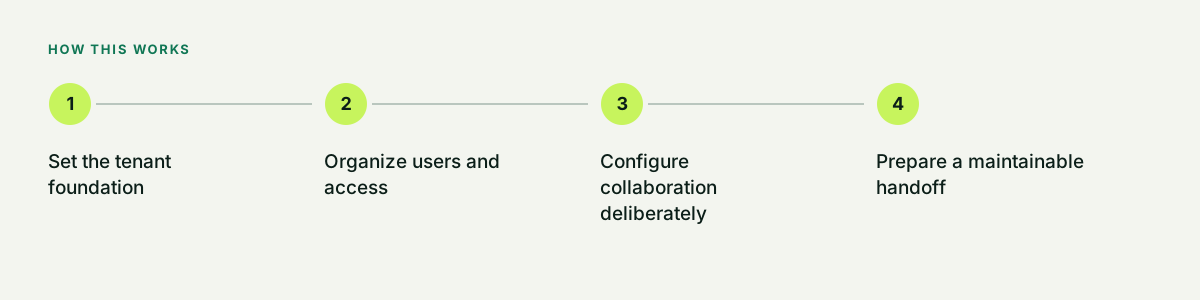
Set the tenant foundation
The business should own the tenant, domain, billing, recovery options, and administrator accounts. Names and domains are reviewed before users are created because later changes can create unnecessary cleanup.
- Tenant and domain ownership
- Administrator roles
- Billing and renewal
- Recovery contacts
Organize users and access
Licenses and permissions follow job responsibilities. Shared resources are placed in groups or shared mailboxes rather than being tied to one employee wherever the selected service supports it.
- User and license inventory
- Role and group structure
- Shared mailboxes
- Joiner and leaver checklist
Configure collaboration deliberately
Teams and SharePoint can become difficult to manage when every project creates a new space without ownership. Dooriax defines naming, membership, external sharing, and file location rules.
- Team and site purpose
- Owner and member roles
- External sharing policy
- Document location rules
Prepare a maintainable handoff
The final record documents administrators, DNS, licenses, mailboxes, groups, support, renewals, and the next security improvements. Credentials are not embedded in public project documents.
- Configuration inventory
- Admin handoff
- Support route
- Future review list
Common questions.
Direct answers about fit, process, limits, and next steps.
Is Dooriax a Microsoft partner or reseller?
Dooriax provides independent setup and workflow services. This page does not claim Microsoft partner, certification, or reseller status.
Can Dooriax move email into Microsoft 365?
Migration can be scoped after the source provider, users, mailbox sizes, calendars, contacts, aliases, retention, DNS, and acceptable downtime are reviewed.
Does setup include advanced security?
Baseline identity and access configuration can be included. Advanced compliance, legal hold, regulated environments, incident response, and device management require a separate documented scope with suitable specialists where needed.
Build the next useful part of the system.
Bring the current tools, operating bottleneck, market, timing, and outcome. Dooriax will start with the facts.