
Door-to-door sales CRM for fiber and ISP teams.
Dooriax Field is the field-sales CRM and territory workflow within Dooriax. For fiber providers and telecom channel partners, implementation connects assigned addresses, representative visits, follow-up ownership, and provider-confirmed order and installation outcomes.
- Provider-approved address and territory data
- Mobile visit records and follow-up ownership
- Order and installation handoff requirements
Connected field operations
See the handoff before you scope the system.
Explore the four stages, then bring your territory, current tools and reporting needs. This preview illustrates a workflow; it is not a connected production CRM.
Book a workflow discussionPlan a Home Front field programAn ISP door-to-door sales CRM connects a serviceable address, the assigned representative, the customer conversation, the next action, and the provider's order or installation record. Dooriax Field scopes that workflow around your approved footprint, offer, systems, and reporting needs.
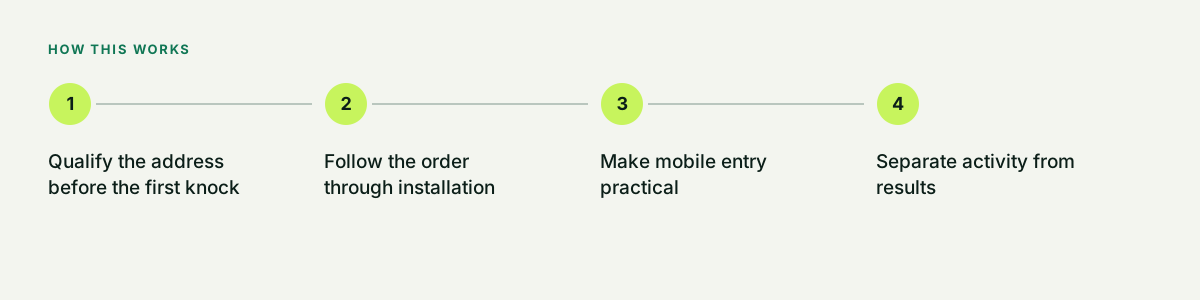
Qualify the address before the first knock
Start with the provider-approved serviceable footprint and a current address-qualification process. Define route ownership, revisit rules, do-not-knock requests, and property-access requirements before representatives begin work. Mapping and carrier connections depend on the selected systems and approved access.
- Provider-owned qualification source
- Assigned streets and representative ownership
- Do-not-knock and property-access rules
- MDU and HOA audience requirements
Follow the order through installation
Connect the customer conversation to the approved provider order path and the person responsible for the next step. Report submitted orders, accepted orders, scheduled installs, completed installs, and cancellations separately using the provider records available to the project.
- Provider order reference
- Named handoff owner and next action
- Installation status and exception reasons
- Reconciliation against provider records
Make mobile entry practical
A field record should be fast to use, readable on a phone, and limited to information the next person needs. Dooriax separates required facts from optional notes and defines where address, contact, consent, territory, and disposition data belong.
- Short mobile forms
- Required data by outcome
- Offline constraints documented
- Clear validation messages
Separate activity from results
Visits, conversations, appointments, orders, cancellations, and completions are different events. Treating them as one number hides where the workflow is failing.
- Activity definitions
- Qualified outcome definitions
- Cancellation and lost reasons
- Completed-work feedback
Design reliable handoffs
Field teams often depend on inside sales, verification, dispatch, installation, or operations. Each transfer needs an owner, a deadline, the right information, and an exception path.
- Named next owner
- Required handoff fields
- Service-level reminders
- Escalation path
Protect data quality
Duplicated records, vague outcomes, and missing contact permissions weaken every report. Launch checks and manager views should reveal those problems early.
- Duplicate handling
- Permission controls
- Record completeness checks
- Change history
Plan the field program with Home Front
Dooriax is a Home Front Solutions operating brand. When the work includes a managed field team, prepare a separate Home Front market brief with the provider-approved footprint, offer, requested timing, and your own pilot assumptions. Requests can identify a state, city, or county. Team capacity, systems, price, and launch conditions are agreed for the actual engagement.
- Serviceable address cohort
- Approved offer and ordering permissions
- Customer and installation handoff
- Pilot assumptions and reporting
Common questions.
Direct answers about fit, process, limits, and next steps.
Can Dooriax connect forms and lead sources to a field CRM?
Yes, when the source offers appropriate access and the destination supports the required fields or integration. The scope documents source, consent, ownership, and failure handling.
Can managers receive alerts for missed follow-up?
Yes, missed follow-up and aging rules can be included when the system supports them and the responsible manager and escalation path are defined.
Does field CRM reporting prove revenue?
Only when the CRM is connected to reliable order, completion, cancellation, and financial data. Dooriax labels reports according to the actual data available.
Build the next useful part of the system.
Bring the current tools, operating bottleneck, market, timing, and outcome. Dooriax will start with the facts.